guides
Training module example: from a PDF to a video (2026)
Contents: What is a training module?
A training module is one self-contained unit of learning. It sets a clear learning objective and teaches the content in short, digestible chunks. It checks understanding along the way and ends with a way for learners to show what they learned. This article walks through a training module example built from a 12-page research paper, and then shows how the same module became a 3-minute training video.
This guide is for anyone who needs to turn a PDF or other document into training material or a training video, such as L&D teams, instructional designers and trainers. We included excerpts from the module where appropriate, and you can download a training module template to use for your own topic.
This 3-minute AI training video was made from the PDF attached below.
Turn your training document into a video
Upload a PDF or Word document, or paste your script. Scenema records the narration and animates every shot with the same characters from start to finish.
What is a training module?
A training module is a single chapter of a larger course, focused on one skill or one idea. A course on onboarding might have a module on the company’s tools, another on its policies and a third on its customers. Each module can be taken on its own, in about 15 to 60 minutes.
Most training modules include the same building blocks:
- Learning objectives: What the learner will be able to do by the end, written with action verbs.
- Content in short, digestible chunks: One idea at a time, each with an example the learner will recognize.
- Practice and checks for understanding: Short questions after each idea to check for understanding.
- A reflection or summary: A moment to connect the new ideas to what the learner understood before and to their own work.
- An assessment: A short test or task that shows whether the module worked.
- A job aid: A one-page reference the learner can keep, such as a definitions card or a checklist.
The source PDF for this training module example
The source for this example is APEX-Agents, a research paper published in January 2026 by Bertie Vidgen, Austin Mann, Abby Fennelly and colleagues at Mercor. APEX-Agents is a benchmark or, to put it simply, a test. It checks whether AI agents can complete realistic professional work, such as tasks an investment banking analyst, a management consultant or a corporate lawyer would do. The paper is free to read on arXiv and licensed under CC BY 4.0, which allows reuse with credit.
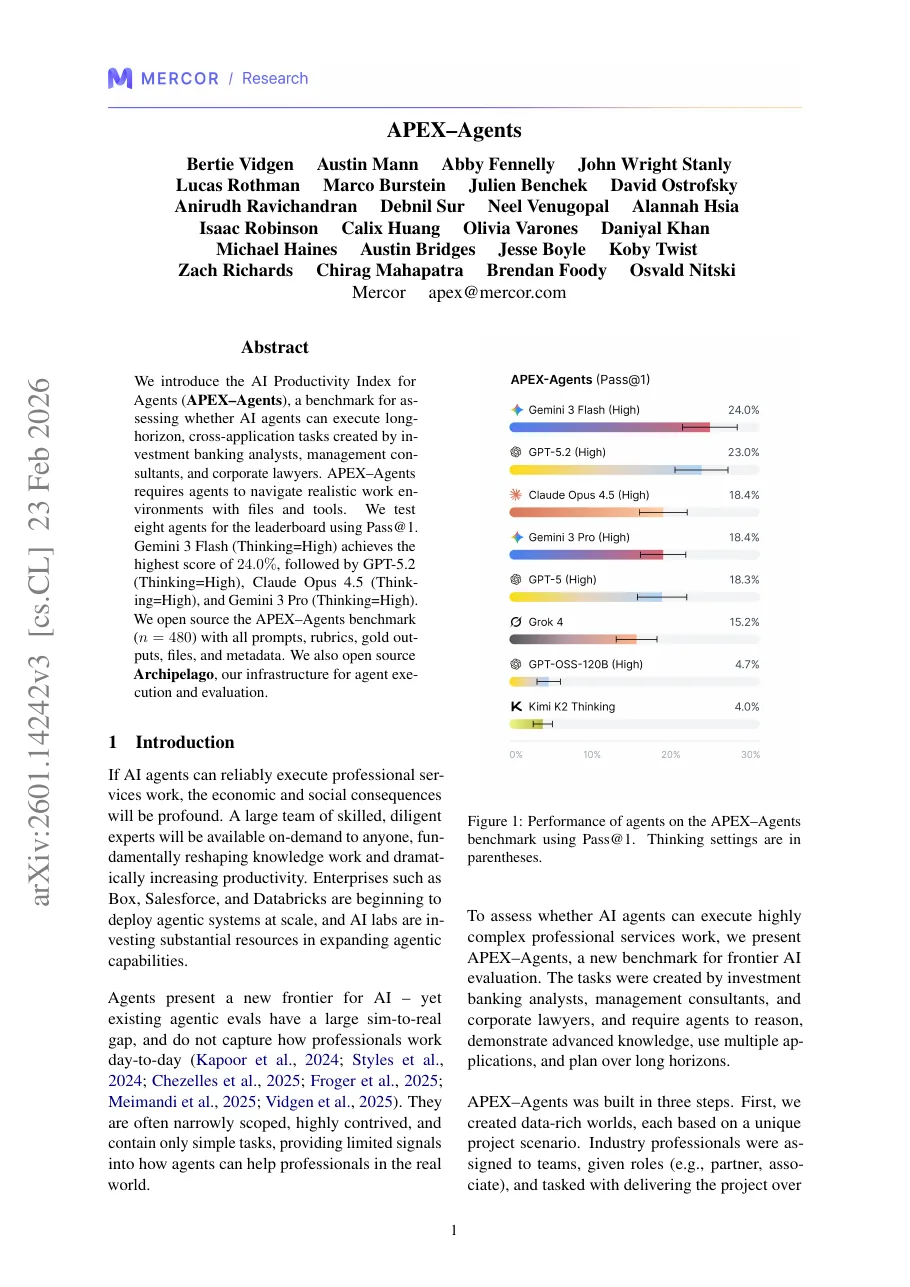 Source PDFAPEX-AgentsBertie Vidgen, Austin Mann, Abby Fennelly and colleagues, MercorarXiv 2601.14242 · January 2026 · CC BY 4.0Read the paper on arXiv
It makes a hard and realistic test case. The paper is short but dense and full of new terms such as worlds, rubrics and Pass@1. It was written for researchers. In this module, we present the same ideas for people at work who use or buy AI tools, in plain language and with everyday examples. The goal is that anyone can judge how reliable an AI agent is, without a technical background.
How to create a training module from a PDF, step by step
These are the eight steps used to build the module. Each one shows the method first, with excerpts from the module where appropriate.
Choose the audience and the one job they need to do
Start with the people, not the PDF. Decide who will take the module and the one thing they need to do differently afterwards. Everything else in the document is optional.
In this example, the audience is professionals who use or buy AI tools. The job is to judge whether an AI agent can finish a piece of work end to end, instead of trusting that it “mostly works”.
Write learning objectives with action verbs
Write two or three learning objectives that start with an observable verb from Bloom’s taxonomy, such as define, explain or apply. A good learning objective tells you what to test at the end.
From the module: learning objectives
By the end of this module, you will be able to:
- Define APEX-Agents accurately as an evaluation benchmark for agentic AI.
- Explain the three core components of APEX-Agents: Worlds, Tasks and Rubrics.
- Describe Pass@1 and understand what it does and does not indicate about agent capability.
Activate prior knowledge
Before teaching anything, ask learners what they already know and believe about the topic. Teachers often call this activating prior knowledge. It draws on the first key finding of How People Learn: Learners arrive with preconceptions about how the world works. If that first understanding is not engaged, they may fail to grasp the new ideas. A short scenario surfaces those ideas, and it gives you something to return to at the end.
From the module: a starting scenario
A colleague says: “We’ve tested our AI internally. It seems to work most of the time, but we’re not sure how reliable it really is. We’re thinking of adding more data or generating synthetic examples to improve it.”
Which response would you most likely default to? There are no right or wrong answers.
- A. Let’s first define a realistic evaluation using expert-created tasks to see where the AI fails end to end.
- B. If it works most of the time, adding more data or synthetic examples should improve performance.
- C. We should pause until we can fully automate the workflow.
- D. Let’s assume the AI is production-ready if internal tests look acceptable.
Cut the PDF down to a few core concepts
A module cannot carry everything in the source. Pick the few ideas the learner needs for the job in step 1, and leave the rest in the PDF for anyone who wants to read further.
The 12-page paper became five core concepts, each with a one-line definition:
| Concept | Definition |
|---|---|
| APEX-Agents | A benchmark that tests AI agents on realistic professional work. |
| World | A complete project environment with all the files needed for its tasks. |
| Task | One assignment that takes a professional one to two hours. |
| Rubric | A list of true-or-false criteria, all of which must be met to pass. |
| Pass@1 | The chance that an agent completes a task correctly on the first try. |
The module leaves out the model scores, the testing infrastructure and the statistical methods. These details matter to researchers, and leaving them out keeps the module focused on its learning objective: judging how reliable an AI agent is.
Add a check for understanding after each concept
After each concept, ask one short question. Checks for understanding are ungraded. They let learners confirm they are following, and they show you which ideas need another example.
From the module: check for understanding
An agent that meets 3 out of 4 rubric criteria:
- A. Partially passes
- B. Passes with a penalty
- C. Fails the task
- D. Is reviewed subjectively
Correct answer: C. In professional work, one missing requirement makes the work incomplete.
Close with a reflection
End by asking learners how their thinking changed. The module uses “I used to think… Now I think…”, a thinking routine from Harvard’s Project Zero. It links back to the starting scenario in step 3.
From the module: sample reflection
I used to think that if an AI system worked most of the time, adding more data or synthetic examples would naturally improve its performance.
Now I think that without evaluating whether an AI can complete full, realistic tasks end to end, it’s difficult to know what the system is actually capable of.
Add a job aid and an assessment
A job aid is what learners keep after the module. Here it is a one-page reference card with the five definitions, the key numbers from the paper and a short “remember” list. The assessment is a short pre-test and post-test with the same questions, so the difference shows what the module taught.
From the module: sample reference card
- Tasks: 480, split evenly across investment banking, law and consulting.
- Worlds: 33 (10 investment banking, 11 consulting, 12 law).
- Best first-try score in the paper: 24.0 percent.
- Remember: APEX-Agents is an evaluation benchmark, not a training method. In professional work, all criteria must be met.
Adapt the module to how it will be delivered
The same module can run in a room, on a video call or on its own. Plan how each activity works in each setting, so no group of learners is left out.
| Delivery | How the opening question works |
|---|---|
| In person | Learners raise hands or call out answers, and the facilitator notes themes on a whiteboard. |
| Virtual (live) | A poll or the chat, with a few answers read out without comment. |
| Hybrid | A shared poll, so people in the room and online answer the same way. |
| Self-paced | A text box, with other learners’ answers shown after submitting. |
Training module template
This training module template follows the same structure as the example. Copy it, or download it as a Word file, and fill in each part for your own topic.
How to turn a PDF into a training video
To turn a PDF into a training video with AI, give the AI the PDF along with what your training module needs. In Scenema, you upload the PDF and add instructions such as your learning objectives, where learners should pause and how the video should end. Scenema drafts the narration from the PDF and your instructions. You review and edit the script, and Scenema then plans, draws and animates every shot.
The video at the top of this article was made from the 12-page APEX-Agents PDF. Scenema recorded the narration, planned and drew every shot in a clean corporate training style and animated them.
A training video carries the core concepts to people who may not read a long document. People with busy jobs may not have time for a deep read, but they still need to understand the key ideas. A short video suits self-paced and mobile learning, and people learn more from words and pictures together than from words alone. Our guide to Mayer’s principles of multimedia learning explains this research.
Even with AI, a person still has to do three things: set the learning objectives, check every fact against the source, and decide where learners should stop and think. Our guide to the best AI educational video generators compares the tools that can make the video.
How Scenema fits into an L&D workflow
Scenema turns a training document into a narrated, animated video, so a learning team can keep its process and add video at the end. These parts matter most for L&D work:
- Start from your own material: Upload a PDF, Word or text document, or paste the script you wrote for the module. Scenema keeps your script word for word if you want it to.
- Consistent characters across a series: The same people and places appear in every shot, and across every module in a course, which helps learners follow a longer program.
- Update one part at a time: When a policy or a number changes, you can redo a single shot instead of remaking the whole video.
- Many languages: Narration comes in more than 75 languages, so one module can serve teams in several countries.
- Fits your LMS: Download the finished video as an MP4 and add it to your LMS, or to an authoring tool such as Articulate or iSpring, to track completion and add quiz questions.
- From your AI assistant: Teams that already work in Claude can make and edit Scenema videos from a chat through the Scenema MCP.
How to check a training module and video for accuracy
Check every fact in the module and the video against the source, and note the page it came from. Read each definition back against the paper to make sure the simpler wording has not changed its meaning. Make sure nothing was added that the source does not say, which matters most when an AI tool helped write the script. Finally, ask whether anything important was left out for the sake of length, and whether a learner could be misled by its absence.
Turn your training document into a video
Upload a PDF or Word document, or paste your script. Scenema records the narration and animates every shot with the same characters from start to finish.
The TL;DR on training modules
What is a training module? A training module is one self-contained unit of learning within a course, focused on one skill or idea. It sets learning objectives, teaches content in short, digestible chunks, checks understanding and ends with an assessment or reflection.
What should be included in a training module? A training module should include learning objectives, content in short, digestible chunks, checks for understanding, a reflection or summary, an assessment and a job aid such as a reference card.
Can you give me an example of a training module? This article shows a full training module example built from the APEX-Agents research paper. It includes learning objectives, a starting scenario, five core concepts, checks for understanding, a reflection, a reference card and a 3-minute video.
How do you create a training module from a PDF? To create a training module from a PDF, first choose the audience and the one job they need to do. Write learning objectives with action verbs, cut the PDF down to a few core concepts and add a check after each one. Close with a reflection, a job aid and an assessment.
What is the structure of a training module? A common structure is learning objectives, an opening activity, core concepts with checks for understanding, a reflection, then an assessment. A job aid sits alongside for learners to keep.
Can AI make a training video? Yes, AI can make a training video from a script or a document. Scenema, for example, turned this module’s script into a narrated, animated 3-minute video. A person still sets the learning objectives and checks the facts.
About the author
Karishma Mhapadi holds a master’s degree in International Education Policy from the Harvard Graduate School of Education and a bachelor’s degree in psychology and sociology. She has worked on education and learning projects in international development with organizations including UNICEF, the World Bank, the African Development Bank, BRAC and GIZ. At Scenema she writes about how people learn from video and how to make explainers people understand and remember.
Sources
- Vidgen, B., Mann, A., Fennelly, A., et al. (2026). APEX-Agents. arXiv 2601.14242. Licensed under CC BY 4.0. The module and video summarize and adapt this paper.
- National Research Council (2000). How People Learn: Brain, Mind, Experience, and School (expanded edition). National Academy Press.
- Project Zero, Harvard Graduate School of Education: the “I used to think… Now I think…” thinking routine.
Related reading
- Mayer’s principles of multimedia learning for video explains what research says makes a training video work.
- Best AI educational video generators for teachers compares AI tools for lessons and training.
- Can Claude make videos? explains how AI assistants can make videos through connectors.